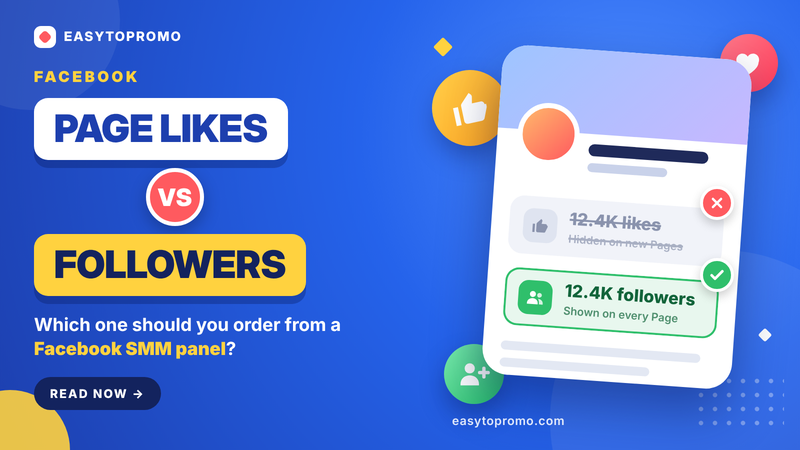
Facebook Page Likes vs Followers: Which Should You Order From an SMM Panel?
If you order Facebook "page likes" for a Page that no longer shows a like count, the order completes but nothing visible changes. It is the most common mistake people make with a Facebook SMM panel, and it comes from one change Meta made to Pages. This guide explains the difference between page likes, page followers, profile followers and post reactions, how to check which type of Page you have, and which service to order for each goal.
The Short Answer
Most Pages today: order page followers. Meta's new Pages experience shows followers as the main count.
Pages still on the classic layout (a visible "people like this" count): a page likes + followers service makes sense.
Personal profiles in Professional Mode: order profile followers.
A single post: order post likes or post reactions, never page likes.
What Meta Changed: Followers Replaced Likes
Why Meta moved from likes to followers
In January 2021 Meta introduced a redesigned Pages experience and announced that it was "removing Likes and focusing on Followers". Followers are the people who actually receive a Page's updates in their Feed, so they are a clearer measure of audience than likes.
What happened to existing likes
On the new layout, the public like count is no longer shown. When Pages moved over, people who had both liked and followed a Page stayed as followers, people who had only followed stayed as followers, and people who had only liked (without following) did not carry over as followers.
That is why many "page likes" orders now look like they did nothing: the number they increase is not displayed on a new-layout Page.
Page Likes vs Page Followers vs Profile Followers vs Reactions
How to Check Which Type of Page You Have
Open your Page in a browser while logged out, or in a private window, and look at the line under the Page name.
New Pages experience
The line shows only a followers number. Order page followers.
Classic Page layout
The line shows a "people like this" number. Page likes are still visible, so a page likes + followers service fits.
Which Facebook Service Should You Order?
Prices are EasyToPromo's starting rates in USD as of October 2026. See the full, current Facebook SMM panel price list before ordering.
Do Page Likes Still Matter in 2026?
For most Pages, not much. On the new layout nobody can see the like count, and followers are what Meta uses to describe a Page's audience. Page likes matter only if your Page is still on the classic layout and visitors can see the number.
Post likes and reactions are different. They appear under every post, so they still shape how active a post looks to new visitors.
Common Mistakes to Avoid
Ordering page likes on a followers-only Page
The order completes, but the count you care about does not move. Check your Page type first.
Mixing up Page and profile links
Page followers and profile followers are different services. Pasting the wrong link type usually means a failed or non-refillable order.
Using a page likes service on a post
For a single post, use post likes or post reactions instead.
Ordering on a private Page
The Page, profile or post must be public for delivery to work.
Delivering a large order all at once
For bigger quantities, use drip-feed to spread delivery over several days so growth looks natural.
How to Order Safely
Never share your Facebook password; every service needs only a public link.
Start with a small order to test a service.
Choose services with a refill period.
Keep posting real content so your Page stays active alongside the new numbers.
Read more in our guide on using an SMM panel safely.
Frequently Asked Questions
Are Facebook page likes and followers the same?
No. Page likes were a legacy support signal, while followers are the people who receive a Page's posts. On the new Pages experience, only followers are shown.
Why didn't my page likes order show on my Page?
Your Page is probably on the new layout, which no longer displays a like count. Order page followers instead.
Should I buy page followers or profile followers?
Page followers for a business or creator Page, profile followers for a personal profile in Professional Mode. Paste the link that matches the service.
Are post reactions better than post likes?
Reactions let you choose Love, Care, Haha, Wow, Sad or Angry, so they can match your content better than only 👍. Both appear under the post.