How to Grow Facebook Page Followers Using an SMM Panel
A new Facebook Page with 40 followers is hard to trust, even when the content is good. A Facebook SMM panel helps you get past that early stage by adding page followers quickly and at a fixed price. This guide shows how to do it step by step: getting your Page ready, choosing the right service, ordering in a way that looks natural, and combining it with organic growth so your Page keeps growing.
How an SMM Panel Helps Your Facebook Page Grow
People decide in a few seconds whether to follow a Page, and the follower count is one of the first things they see. A Page with a few thousand followers and active posts looks established, so new visitors are more likely to follow, message or buy.
An SMM panel gives your Page that starting base. You choose a quantity, paste your Page link and the followers are delivered over the following hours or days. Your content, offers and ads then do the rest of the work.
Before You Start: Get Your Page Ready
Complete your Page profile
Add a clear profile picture, a cover image, a short bio, contact details, an action button (such as Message or Shop Now) and a link to your website or WhatsApp. Include a natural keyword in your About section, because Facebook search uses it. Visitors who arrive because of your follower count should find a Page that looks finished.
Pin your best post
Pin a post that explains what your Page offers, so every new visitor sees it first.
Post content first
Publish at least 8–10 posts or Reels before ordering. A large follower count on an empty Page looks odd to visitors.
Make sure the Page is public
Delivery only works on public Pages. Check that your Page has no age or country restrictions that hide it.
Check that your Page shows followers
Most Pages now use Meta's new Pages experience, which shows followers as the main count rather than likes. Open your Page in a private window: if you see a followers number under the Page name, order page followers.
Step-by-Step: Growing Page Followers With an SMM Panel
Step 1: Choose the right follower service
Prices are EasyToPromo's starting rates as of October 2026. See the current Facebook SMM panel price list.
Step 2: Start with a small test order
Order 500–1,000 followers first. Check how fast they arrive and how stable the count is over a few days before placing a larger order.
Step 3: Use drip-feed for larger targets
Instead of adding 5,000 followers in one go, split the order with drip-feed, for example 500 followers a day for 10 days. Gradual growth looks natural to visitors and is easier to track.
Step 4: Keep engagement in proportion
A Page with 10,000 followers and two reactions per post looks unbalanced. Add a modest number of post reactions or likes to your recent posts so engagement matches your follower count. Post reactions start at $0.10 per 1,000.
Step 5: Track delivery and request refills
Watch the start count and progress in your orders dashboard. If a refill-eligible order drops within its refill period, request a refill from your orders page.
Sample 30-Day Growth Plan for a New Page
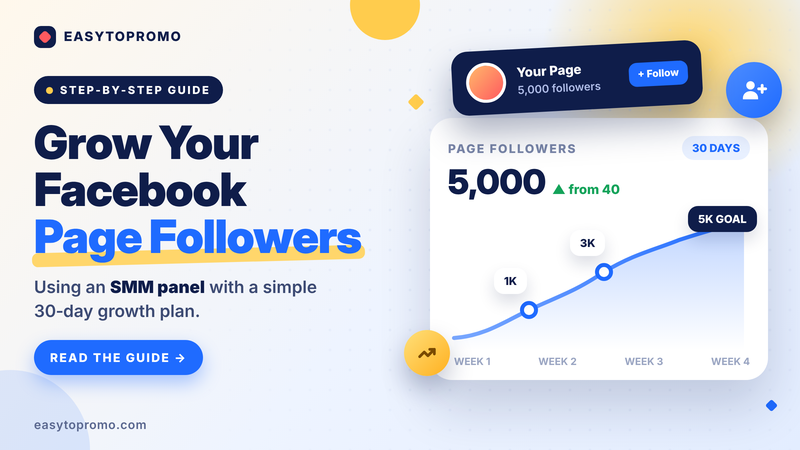
This plan takes a Page to about 5,000 followers in a month for under $1 with the standard service, or about $4.10 with non-drop followers, while the Page keeps posting and testing what its real audience likes.
How Much Does It Cost to Grow Facebook Page Followers?
Combine SMM Panel Growth With Organic Tactics
An SMM panel builds the starting base. These Facebook-native tactics turn that base into a Page that keeps growing on its own.
Invite people who react to your posts
Tap the reactions under any of your posts and you'll see an Invite button next to people who don't follow your Page yet. They have already shown interest, so they are the easiest followers to win. Invite recent, engaged people in small batches rather than hundreds at once, because Facebook limits how many invites a Page can send per day.
Join the automatic invitations waitlist
Meta Business Suite is testing automatic invitations, which invite people who engage with your posts to follow your Page for you. If you see the banner in Meta Business Suite, join the waitlist.
Post Reels consistently
Reels are recommended to people based on their interests, not only to your followers, which makes them one of the best ways for new people to discover your Page. Shoot vertically (9:16) and aim for 3–4 Reels a week.
Mix in photo posts
Photos are still strong for engagement. Buffer's analysis of millions of posts found that photo posts got 34.7% more engagement than text posts.
Reply to comments quickly
Answer comments within the first hour after posting and ask a follow-up question. Active conversations make your posts look alive to new visitors.
Avoid engagement bait
Skip "like and share to win" style posts. Ask people to comment with an answer instead, which keeps the conversation genuine.
Cross-promote on other channels
Share your Page link on Instagram, WhatsApp, Telegram, your website, contact page and email signature.
Run small ad tests
Once your Page looks established, a small Facebook ad budget on posts that already perform well can bring in targeted followers who are more likely to become customers.
How to Measure Your Page Growth
Track these numbers every week in Meta Business Suite → Insights:
When organic follows start arriving on their own each week, slow down your SMM panel orders and put more of your budget into content and ads.
Mistakes to Avoid
Ordering page likes instead of followers
On Pages that show only followers, a page likes order won't change the visible number. Check your Page type first.
Pasting the wrong link
Page followers need your Page URL; profile followers need a personal profile URL. The wrong link type usually means a failed or non-refillable order.
Adding too many followers at once
Very large jumps look unnatural. Use drip-feed and grow in steps.
Placing two orders on the same link
Wait for one order to finish before starting another, so you can track counts and refills correctly.
Forgetting about content
Followers make your Page look established; regular, useful posts are what keep visitors coming back.
Frequently Asked Questions
How many Facebook Page followers should I buy first?
Start with 500–1,000 followers as a test. Once you are happy with the speed and stability, grow in steps using drip-feed.
How long does it take to get Facebook Page followers?
Standard follower services deliver 50,000–70,000 per day, so small orders usually finish within hours. Country-targeted followers are slower, for example 300–500 per day for Indian followers.
Will my Facebook Page followers drop?
Some drop is possible over time. Choose a service with a refill period, such as 30 or 365 days, and request a refill if the count falls within that period.
Do I need to share my Facebook password?
No. Every follower service needs only your public Page link. Never share your password with any SMM panel.