Which Link to Submit? SMM Panel Link Guide for Every Platform
Most failed SMM orders have nothing to do with the service itself. They fail because of the link. Our own FAQ puts it plainly: order cancellation "mainly happens because of an invalid profile/post link, your account is private".
This guide shows exactly which link each type of service needs, platform by platform, how to copy it, and how to fix the most common mistakes before they cost you money.
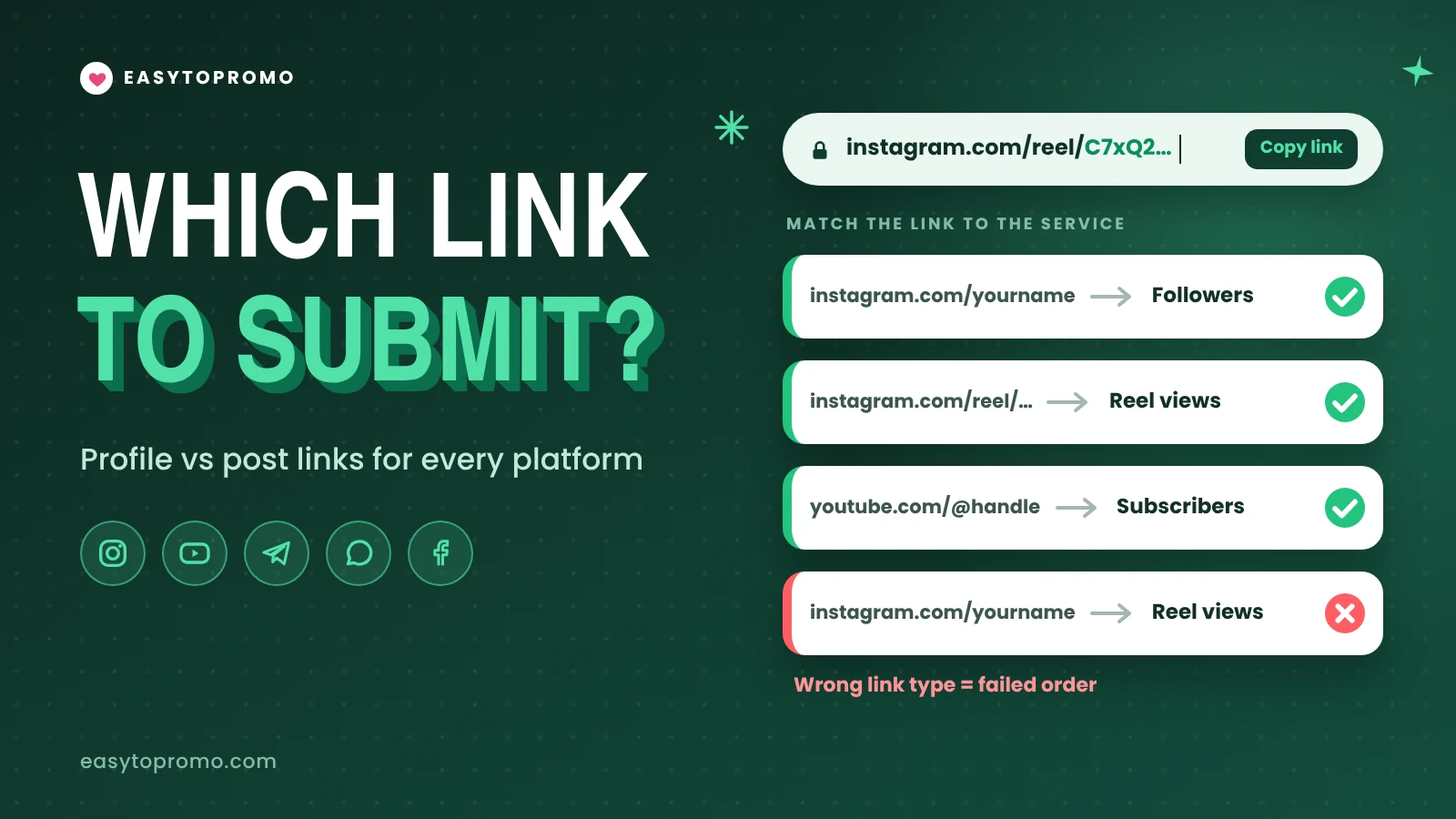
The Golden Rule: Profile Link or Post Link?
Every service is delivered either to an account or to a single piece of content. Our FAQ says it in one line: "Each service requires a specific URL format (e.g., profile URL for Followers and post URL for Likes)."
If you are unsure which type a service is, read its name and description first. Our guide on how to read an SMM panel service listing shows where the link notes usually appear.
Four Checks Before You Copy Any Link
Make the account public. Our FAQ is clear: "you cannot place an order for private accounts". Our terms add that orders for private or incorrect accounts are generally not eligible for refunds.
Use the full link, not a short one. Paste the complete web address, not a shortened link from a link-shortening service.
Open the link in a private browser window. If you cannot see the post while logged out, the panel cannot either.
Do not change anything until the order finishes. Keep the same username, and do not delete, archive or hide the post while delivery is running.
Instagram Links
How to Copy an Instagram Link
Post or Reel: Open it, tap the share (paper plane) icon, then tap Copy link.
Profile: Go to the profile, tap Share profile, then Copy link.
Copied links often end with a tracking code such as "?igsh=" followed by letters. You can delete everything from the question mark onwards. The link still points to the same post, and it is easier to check. You can see all Instagram services on our Instagram SMM panel.
YouTube Links
YouTube says your handle "will also automatically become the new YouTube URL for your channel", so the @handle link is the simplest one to use. Older channel links that start with youtube.com/channel/ still work too.
Two extra rules matter on YouTube. First, check whether a views service supports Shorts before you submit a Shorts link, because some services only work on normal videos. Second, never give a service your password or "Manager" access to your channel. A public video link is all a genuine order needs. Browse the available services on our YouTube SMM panel.
Telegram Links
To copy a post link, long-press the post and tap Copy link. For a channel, open the channel info page and copy the link shown there.
Public channels are the safest choice, because anyone can open them. If you use an invite link for a private channel, do not reset or revoke it during the order. Telegram notes that a revoked link "will stop working immediately", which stops delivery too. Our Telegram SMM panel lists which member services accept which link type.
WhatsApp Links
To find your channel link, open the channel, tap its name, and use the share or copy link option. Keep the channel public while the order runs. Our WhatsApp SMM panel shows which services need a channel link and which need an update link.
Facebook Links
Use the Copy link option on the post itself. Facebook now often creates links that start with facebook.com/share/. Open the copied link in a private window first to make sure it leads to the right post.
X (Twitter), TikTok, LinkedIn and Spotify Links
The same golden rule applies on every platform: account link for followers, content link for engagement.
Common Link Errors and How to Fix Them
The last point comes straight from our FAQ: you can order for the same link twice, but you "have to wait for the current order to get completed" first. If an order still shows Partial or Canceled, our SMM panel FAQs page explains what each status means.
A Quick Checklist Before You Submit
The account or channel is public
The link type matches the service: account or content
It is the full link, with tracking codes removed
It opens in a private browser window
No other order is running on the same link
You will not change the username or delete the post until delivery finishes
Getting the link right is the easiest way to save money on any SMM panel India buyers use.
Frequently Asked Questions
Can I order followers for a private Instagram account?
No. Services cannot be delivered to private accounts, and such orders may not be refunded. Switch the account to public before you order, and keep it public until delivery finishes.
Should I submit a username or a full link?
Use whatever the service asks for. Follower services sometimes ask for a username, while likes, views and comments always need the full link to the post.
Does a YouTube Shorts link work for views?
Only if the service supports Shorts. Check the service name and description first, because some views services only work on normal videos.
Can I use a Telegram invite link for members?
Only if the service description allows private channels. A public channel link is the safest choice. If you do use an invite link, do not revoke it until the order is complete.
What happens if I submit the wrong link?
The order may fail, or the engagement may go to the wrong post. Contact support with your order ID right away. Orders that have already started usually cannot be canceled.